What applies at your checkpoint depends on the screening you get and on the TSA officer’s instructions. TSA announced in July 2025 that passengers at domestic airports can keep their shoes on. For laptops, TSA’s pages say that in standard screening large electronics go into a bin, that laptops are allowed to stay in the bag where CT equipment is used, and that PreCheck travelers do not need to remove them. TSA’s Security Screening page tells travelers to listen to the instructions of the TSA officer.
This article covers what eight TSA pages say about shoes and large electronics: the national press release of July 8, 2025, the Travel Checklist, the Laptops, Tablets and Steel Toe Boots item pages, the Computed Tomography page, a local release of July 13, 2026 about CT units at Juneau, and the Security Screening page. The wording is as of November 9, 2026. It does not cover belts, jackets or liquids in detail, which airport has which equipment, how a particular checkpoint is set up, children, travelers with medical needs or international airports.
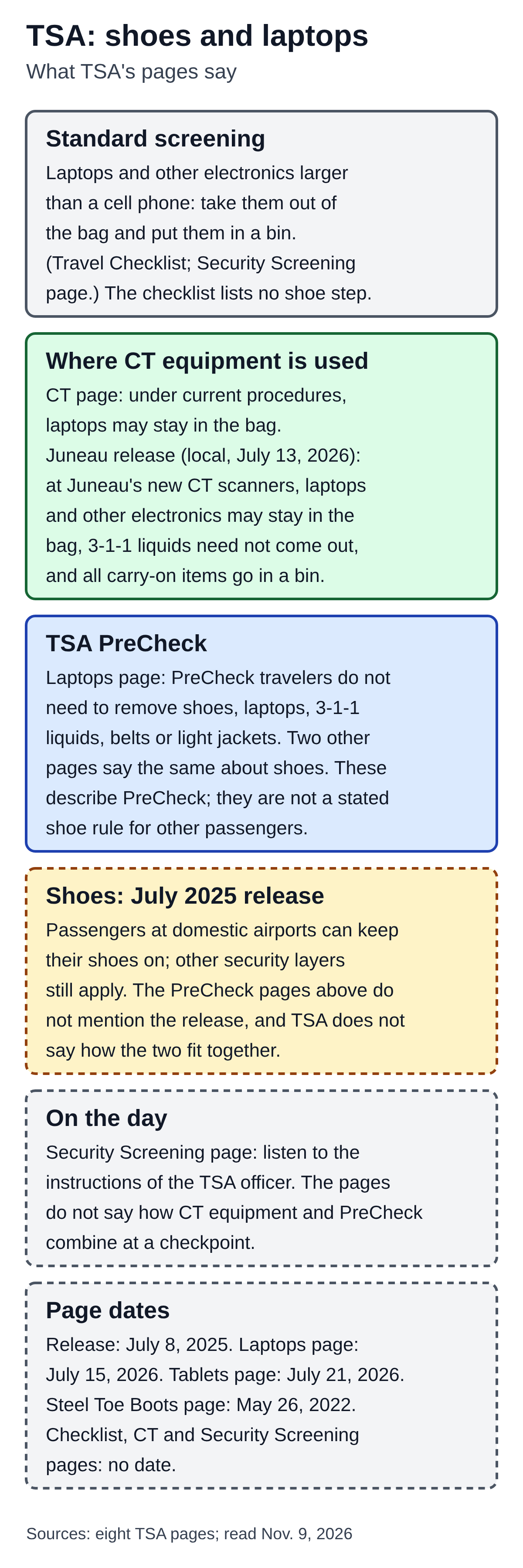
What the pages say, situation by situation
CT is a type of screening equipment and TSA PreCheck is a screening program, so the rows below are not three lanes a traveler picks between. The pages read here do not say how CT equipment and PreCheck combine at a given checkpoint.
| Situation | Laptops and other large electronics | Shoes | Where it comes from |
|---|---|---|---|
| Standard screening | Take electronics larger than a cell phone out of the bag and put them in a bin | The checklist lists no shoe step; the Security Screening page says standard screening requires removing all items and placing them on the X-ray belt, without naming shoes; the July 2025 release says shoes can stay on | Travel Checklist (no date); Security Screening page (no date); Laptops page; July 8, 2025 release |
| Where CT equipment is used | CT page: laptops are allowed to remain in the bag. Juneau release: at Juneau’s new CT scanners, laptops and other electronics may stay in the bag and 3-1-1 liquids need not be removed | Not addressed on the CT page or the Juneau release; the July 2025 release covers domestic airports | CT page (no date); July 13, 2026 Juneau release (local) |
| TSA PreCheck | PreCheck travelers do not need to remove laptops | PreCheck travelers do not need to remove shoes; this describes PreCheck and does not state a shoe rule for other passengers | Laptops page, Last Updated July 15, 2026; Steel Toe Boots page; Security Screening page |
Shoes: what TSA’s pages say
TSA’s national press release of July 8, 2025, headed “DHS to End ‘Shoes-Off’ Travel Policy,” says the Homeland Security Secretary announced a policy that allows passengers traveling through domestic airports to keep their shoes on while passing through security screening at TSA checkpoints. Its subhead says passengers can now keep their shoes on at TSA security checkpoints. The release adds that other parts of TSA’s layered approach still apply and that passengers must still clear identity verification, Secure Flight vetting and other processes.
The release does not say whether an officer can still ask a traveler to take off shoes, for example for additional screening, and this article does not fill that gap.
Three other TSA pages describe what PreCheck travelers do not need to do. The Laptops page (Last Updated on July 15, 2026) and the Steel Toe Boots page (Last Updated on May 26, 2022) both say TSA PreCheck travelers do not need to remove shoes, laptops, 3-1-1 liquids, belts or light jackets. The Security Screening page, which shows no date, says that with PreCheck you do not need to remove your shoes, laptops, liquids, belts and light jackets, and adds that TSA uses unpredictable security measures throughout the airport and no individual is guaranteed expedited screening. These sentences describe PreCheck. They do not state a shoe requirement for other passengers, and they do not mention the July 2025 release.
The same Security Screening page says that standard screening requires that you remove all items and place them on the X-ray belt for screening; that sentence does not name shoes. The Travel Checklist lists steps “In Standard Screening Lane” (remove the 3-1-1 liquids bag and place it in the bin, empty the pockets and remove bulky jewelry, and remove personal electronic devices larger than a cell phone), lists no step about shoes, and shows no update date. Its packing tips mention shoes only as one layer in a bag packed in layers.
TSA’s pages do not say how this wording fits with the July 2025 release, and this article does not say which wording controls.
On the day: the officer’s instructions
In the food paragraph of its carry-on screening section, TSA’s Security Screening page says to listen to the instructions of the TSA officer, and it says a TSA officer will be available to guide you through the process. The page also says officers may instruct travelers to separate other items, such as foods and powders, from carry-on bags. That page says procedures can change from time to time. Because the pages read here do not say how the wording above fits together, this article’s advice is simply to follow the instructions of the officer at your checkpoint.
Laptops and other large electronics in standard screening
The checklist and the Security Screening page say that travelers will be asked to remove personal electronic devices larger than a cell phone from the carry-on bag and put them in a bin with nothing on or under them for X-ray screening, and they give laptops, tablets, e-readers and handheld game consoles as examples. The Security Screening page adds that this does not include items such as hair dryers, electric shavers or electric toothbrushes. The Laptops page lists carry-on bags “Yes” and checked bags “Yes,” and says to remove the laptop from the bag and place it in a separate bin for X-ray screening.
The Tablets page (Last Updated on July 21, 2026) lists carry-on bags “Yes” and checked bags “Yes” and points to the FAA regulations for portable electronic devices. It has no instruction about taking a tablet out of the bag, while the checklist and the Security Screening page name tablets among the devices to remove.
Where CT equipment is used
TSA’s Computed Tomography page describes CT as the latest checkpoint X-ray scanning equipment for carry-on bags, which builds a 3-D image of a bag’s contents, and says that if a bag requires further screening, officers will inspect it. It says the goal is, in the future, to keep laptops and 3-1-1 liquids inside the bag during screening, and that under current screening procedures for this technology, laptops are allowed to remain inside the bag. The page shows no update date and gives no bin instruction.
A local TSA release of July 13, 2026 covers the two new CT machines at Juneau International Airport only. It says passengers using those machines are permitted to leave laptops and other electronic devices in their carry-on bags, and that passengers screened in security lanes with CT units do not need to remove their travel-sized 3-1-1 liquids. It also says that with the new CT scanners all carry-on items, including roller bags, need to be placed into a bin; that CT units have a slightly smaller entry tunnel, so not all larger carry-on bags fit; and that TSA recommends checking large carry-on items. Those are statements about the Juneau machines. The pages read here do not say whether CT units at other airports work the same way.
More on the liquids rule is in What Is the TSA 3-1-1 Liquids Rule? What’s Exempt?, and more on PreCheck is in What Is TSA PreCheck? What It Changes at the Checkpoint.
What the pages do not say
The pages read here do not list which airports, lanes or checkpoints have CT units, and they do not say how CT equipment and PreCheck work together. The Juneau release is a local release about one airport. The checklist, the CT page and the Security Screening page show no date. The Laptops page, which describes shoes only for PreCheck, is dated a year after the July 2025 release; the Steel Toe Boots page is dated before it. TSA says on its Security Screening page that it adjusts processes and procedures and that travelers may notice changes from time to time.
Sources
All pages were read on November 9, 2026.
- TSA, “DHS to End ‘Shoes-Off’ Travel Policy,” national press release, July 8, 2025. https://www.tsa.gov/news/press/releases/2025/07/08/dhs-end-shoes-travel-policy
- TSA, “Travel Checklist” (the page shows no update date). https://www.tsa.gov/travel/travel-tips/travel-checklist
- TSA, “Laptops,” What Can I Bring? (page shows “Last Updated on July 15, 2026”). https://www.tsa.gov/travel/security-screening/whatcanibring/items/laptops
- TSA, “Tablets,” What Can I Bring? (page shows “Last Updated on July 21, 2026”). https://www.tsa.gov/travel/security-screening/whatcanibring/items/tablets
- TSA, “Steel Toe Boots,” What Can I Bring? (page shows “Last Updated on May 26, 2022”). https://www.tsa.gov/travel/security-screening/whatcanibring/items/steel-toe-boots
- TSA, “Computed Tomography” (the page shows no update date). https://www.tsa.gov/computed-tomography
- TSA, “TSA installs new computed tomography screening technology at Juneau International Airport,” local press release, July 13, 2026. https://www.tsa.gov/news/press/releases/2026/07/13/tsa-installs-new-computed-tomography-screening-technology-juneau
- TSA, “Security Screening” (the page shows no update date). https://www.tsa.gov/travel/security-screening