USPS Hold Mail holds your mail at your local Post Office until you return, for a minimum of 3 days and a maximum of 30 days. The USPS FAQ calls it a free service that pauses all mail delivery to an address.
This article covers what USPS’s pages say. The wording is as of October 7, 2026, and comes from the three USPS pages listed at the end. It describes the service and gives no advice on whether to use it.
What it holds
The USPS FAQ says Hold Mail pauses all mail delivery, letters and packages, for all individuals at the address. USPS says it cannot be used to hold a single package or specific mail items. USPS’s forwarding page also describes Hold Mail as a way to “pause” all mail delivery if you will be away for 3 to 30 days.
How long a hold can last
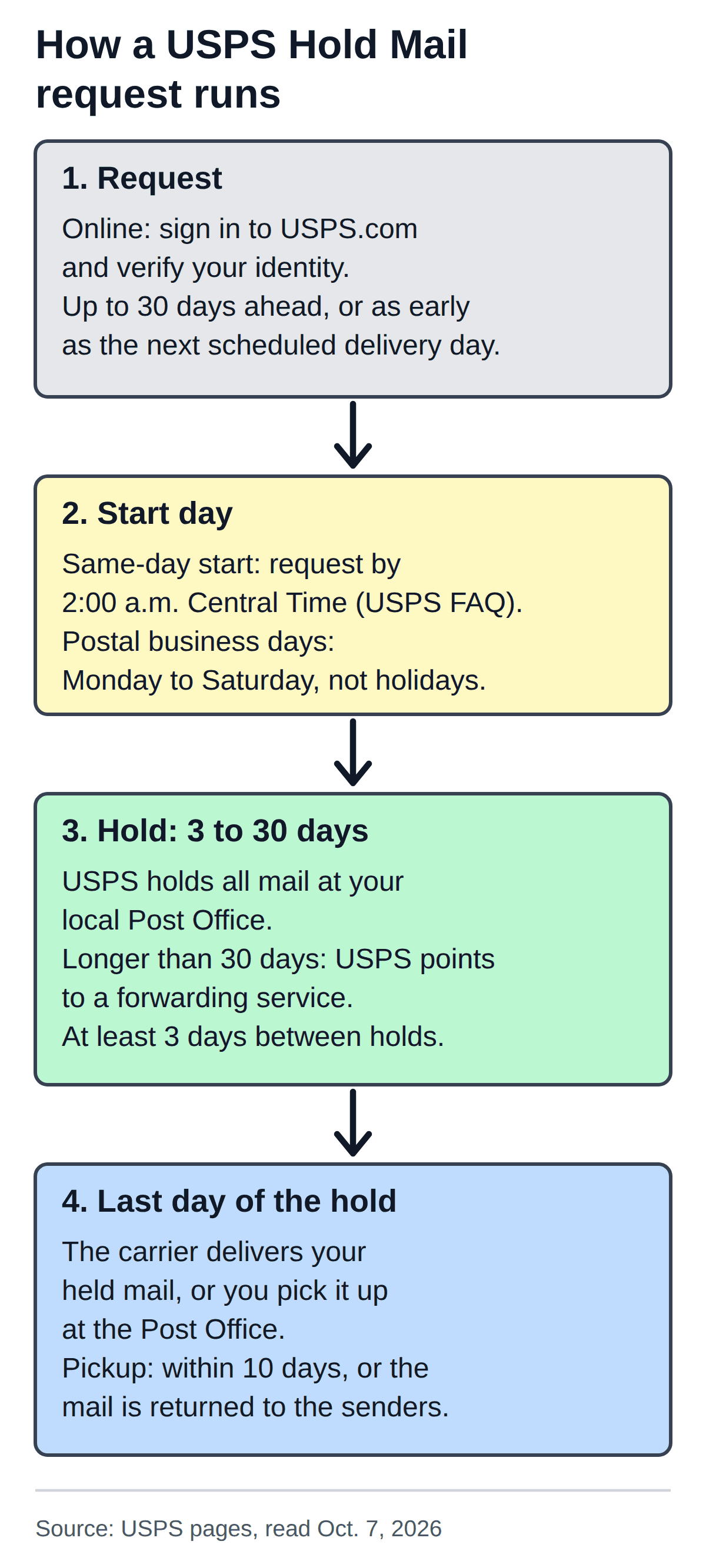
A hold must be for at least 3 days and no more than 30. For mail held longer than 30 days, USPS says to sign up for a forwarding service. USPS also says at least 3 days must pass between the end of one Hold Mail period and the start of the next. Its example is a person at the end of a 30-day hold, who can ask for another one on the 31st day, but it will not take effect until after 3 days.
How a request is made
USPS’s Hold Mail page says the online process requires you to create or sign in to a USPS.com account and verify your identity. It says that once your identity has been verified, you do not have to repeat that step for your current address.
USPS says an online request can be made up to 30 days in advance or as early as the next scheduled delivery day. The USPS FAQ says an online request submitted before 2:00 a.m. Central Time can begin on the same postal business day, and one submitted after that can begin on the next postal business day at the earliest. USPS’s Hold Mail page gives the same cutoff as 3 AM Eastern (2 AM Central or 12 AM Pacific) on the requested day. Postal business days are Monday through Saturday, except postal holidays.
USPS says the confirmation number for an online request is sent by email, and that with it a request can be edited, changed or canceled.
The FAQ also says online submission is not available at all addresses. For an address where it is unavailable, it says the request must be made in person at a local Post Office, using PS Form 8076, Authorization to Hold Mail.
When the hold ends
USPS says that on the last day of the hold, it delivers all your mail, or you can choose to pick it up at your local Post Office. When you submit the request, you choose between the two.
If you choose pickup, the FAQ says the mail must be picked up within 10 days or it will be returned to the senders. It says you must present acceptable identification to pick it up in person, and that regular delivery resumes the next postal business day after an in-person pickup. USPS also says that picking up your mail earlier than the date on the request cancels the hold.
If you choose carrier delivery and nobody is home, the FAQ says only the mail that fits in the mail receptacle is delivered. If the mail is more than the receptacle holds, USPS says the carrier leaves a PS Form 3849 and returns the overflow to the local Post Office for pickup.
What this article does not cover
This article does not cover holding a single package or having a package held for pickup, which USPS describes separately. It does not cover authorizing someone else to pick up held mail, how a change of address affects a hold, PO boxes, or business or military mail. It gives no advice on mail theft or home safety. This article describes what USPS’s pages state on the date above and does not track changes to them.
Sources
All three pages were checked on October 7, 2026. The FAQ article shows the date Sep 16, 2026. The other two pages show no update date.
- USPS, “Hold Mail.” https://www.usps.com/manage/hold-mail.htm
- USPS FAQ, “USPS Hold Mail – The Basics.” https://faq.usps.com/s/article/USPS-Hold-Mail-The-Basics
- USPS, “Standard Forward Mail & Change of Address.” https://www.usps.com/manage/forward.htm