USPS says thousands of Post Offices accept first-time passport applications and most of those can also take passport photos, but “The Postal Service does NOT issue or create passports,” and USPS.com says that if you are eligible to renew by mail or online, you “cannot renew in person.” The passport itself comes from the U.S. Department of State.
This article covers two USPS pages: the USPS.com page “Passports” (the page titled “Passport Appointments, Renewals, & Photo Services”; no update date shown) and the USPS FAQ “U.S. Passports – The Basics” (Article 000007488, dated November 5, 2026). The wording is as of November 13, 2026. The passport rules belong to the State Department. On Nov. 13, 2026 its pages on applying in person as an adult, renewing by mail and getting a passport faster were read in English. They are used here for the urgent travel section, for the in-person list and for the under-16 renewal rule; everything else below is what USPS says, not what the State Department says, and this article sends you to the State Department pages for the current rules and exceptions. The pages list fees; this article gives no prices. It does not cover passport cards beyond one line, lost or stolen passports, or international travel rules. It does not give current passport processing times: the timing it reports is limited to what the USPS pages say about expedited renewal, urgent travel and when processing starts, and what the State Department’s page on getting a passport faster lists for each service option. For the latest processing times, check the State Department.
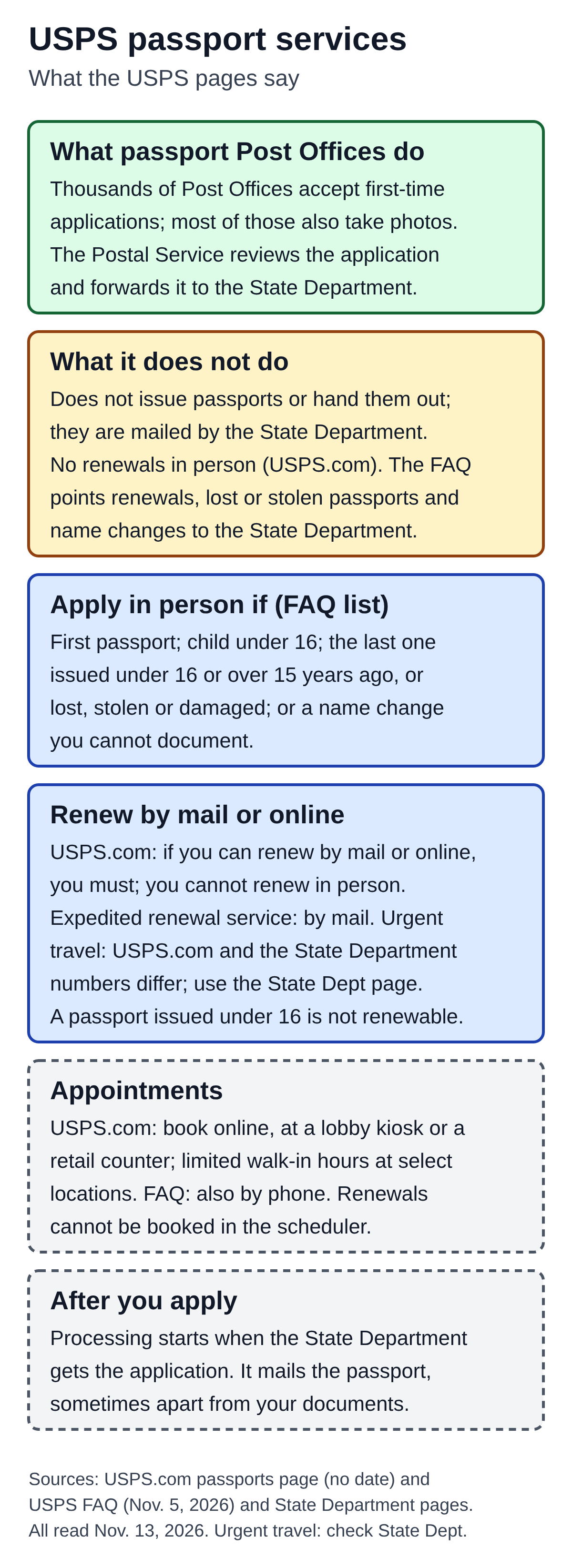
What the Post Office does, and what it does not
The FAQ states the Postal Service’s role in a short list. It applies to the Post Offices that offer passport services, not to every Post Office: USPS.com says “thousands” accept applications and “most of those locations” can also take the photo. The Postal Service will accept a customer’s first-time passport application, take authorized passport photos, and “review the application and forward the application to the U.S. Department of State for processing.” It then says the Postal Service does not issue or create passports, and that customers “CANNOT pick up passports from a Post Office™ facility; they are mailed to the customer from the U.S. Department of State.”
For anyone who wants to renew a passport, replace a lost or stolen one, or provide a name change, the FAQ says to visit the State Department’s website. The FAQ also notes that private courier companies called “passport expeditors” may submit applications on behalf of customers, and it points to the State Department for details; it does not describe them further.
USPS.com opens with a shorter version: “Thousands of Post Offices™ accept first-time passport applications for the U.S. Department of State,” and most of those locations can also take a passport photo, including digital photos for online renewals.
Who applies in person
The FAQ lists when you must apply in person using Form DS-11. It is enough if at least one of these is true: you are applying for your first U.S. passport; you are under age 16; your previous passport was issued when you were under 16; your previous passport was lost, stolen or damaged; your previous passport was issued more than 15 years ago; or your name has changed since the passport was issued and you cannot legally document the name change. It adds that if none of those apply, “you may be eligible to Renew by Mail using Form DS-82.” The State Department’s page on applying in person as an adult is the place to check the full eligibility rules and exceptions. Its list covers first-time adult applicants age 18 and older and adults whose passport was lost, stolen or damaged, issued over 15 years ago, or issued when they were under age 16; it does not list a name change, which the FAQ list includes. Its renew-by-mail page says you cannot renew a passport for a child under age 16.
For minors, the FAQ says a child under 16 must apply in person with both parents or guardians, who must show their relationship to the child, present acceptable identification and give consent. A 16- or 17-year-old must appear in person and may need a parent or guardian to show photo ID and establish parental consent. USPS.com says “Passports for children under 16 have special requirements.” Separately, in its renewal text, it says a minor’s passport “cannot be ‘renewed’” and that each time it expires you submit a new first-time application in person. That sentence does not give an age. The page’s renew-by-mail conditions require a passport issued at age 16 or older, and the FAQ’s in-person list includes a previous passport issued under 16, so this article reads the sentence as covering passports issued to children under 16 and does not extend it further.
The two pages word the age line a little differently. USPS.com’s first-time section says that if you “are 16 or under” you need to apply in person, while the FAQ says “under age 16” and then lists 16- and 17-year-olds separately as also having to appear in person. This article does not resolve that; it shows both wordings.
Renewing: what USPS.com says
USPS.com is firmer than the FAQ about renewals. It says: “You must renew by mail or online if you’re eligible; you cannot renew in person.” If you need expedited service for a renewal, USPS.com says you must renew by mail (its mail option is labelled “Available with Expedited Service”), and anyone not eligible to renew by mail must apply in person as a first-time applicant. The FAQ, by contrast, answers “How do I renew a passport?” by sending readers to the State Department’s website; its only eligibility line is the one above, that otherwise you “may be eligible to Renew by Mail.”
USPS.com lists conditions for each route. To renew by mail, it says your adult passport must be in your possession, undamaged apart from normal wear, issued when you were 16 or older, issued within the last 15 years, and in your current name or with a documentable name change. To renew online, it adds conditions such as: the passport was valid for 10 years and expires within 1 year or expired less than 5 years ago, you are 25 or older, you are not changing information such as your name, you are not traveling for at least 6 weeks, and you have a mailing address in a U.S. state or territory (not an Army, Fleet or Diplomatic Post Office address). Online renewals need a digital photo, which USPS says many locations can take.
For a mailed renewal, USPS.com says the State Department recommends a USPS delivery tracking service, and the FAQ names Priority Mail Express and Priority Mail.
Expedited service and urgent travel
USPS.com says that if you need expedited service for a renewal, you must renew by mail. For a life-or-death emergency or urgent travel it does not point to a Post Office; it points to the State Department, to its Life-or-Death Emergencies page and to a phone call to the State Department Passport Agency for an appointment.
The State Department’s page on getting a passport faster (last updated Sep. 30, 2026 as displayed; read in English on Nov. 13, 2026) lists four options. Its numbers mean different things, so they are listed one by one:
- Life-or-death, travel in less than 14 days. You may qualify for an emergency appointment if you need to travel abroad in the next 14 days because an immediate family member outside the United States has died, is dying or in hospice care, or has a life-threatening illness or injury.
- Urgent, travel in less than 2 to 3 weeks. You make an appointment at a passport agency or center. The page says to do it when you are within 14 calendar days of your international travel date, or 28 days if you need a foreign visa. So 2 to 3 weeks is how soon you travel, and 14 or 28 days is how close to the travel date you book.
- Expedited, travel in less than 6 weeks from the date you submit. Processing takes 2 to 3 weeks and does not include mailing, which may add 2 weeks. It is done at an acceptance facility or, for a renewal, by mail, for an extra fee.
- Routine, travel in 6 weeks or more. Processing takes 4 to 6 weeks, plus mailing.
The same page says you must make an appointment for urgent and emergency service and that appointment slots may not be available right away. It also says mail can add up to 2 weeks to the total time, and that you can pay for faster shipping. Its renew-by-mail page (last updated Oct. 1, 2026 as displayed) words the urgent cutoff as travel in less than 3 weeks, with an appointment within 14 calendar days of the travel date.
USPS.com’s numbers are different. For a life-or-death emergency it says “within 72 hours (3 business days)” of travel, and its urgent travel heading is “Urgent Travel in Less than 10 Weeks”, with an appointment date “within 72 hours (3 business days)” of travel. These do not match the State Department’s 14 days, 2 to 3 weeks and 14 or 28 days above, so do not read them as the same booking rule. This article does not say why they differ or whether the USPS.com page is out of date. For urgent or emergency travel, check the State Department’s page on getting a passport faster before you book.
Appointments and walk-ins
For first-time passports, minors’ passports and photos, USPS.com says to schedule an in-person appointment online. Its Step 3 says Post Offices that offer passport services have set hours and that you “need to schedule an appointment” using the online Retail Customer Appointment Scheduler or a lobby self-service kiosk. A banner at the top of the same page is a little different: it lists the online scheduler, the kiosk “or at a Post Office retail counter,” and adds “We also offer limited Passport walk-in hours at select locations.” The page does not say which locations.
The FAQ describes three ways to book: online, by phone through an automated system (up to six applicants), or at a Post Office self-service kiosk. It says “Passport renewals cannot be made using RCAS or on the kiosk,” and that USPS employees cannot create appointments online for customers.
Photos and what to bring
Both pages say many Post Offices can take the photo for a fee. The FAQ lists photo requirements (a plain white or off-white background, 2 x 2 inches, in color, taken within the last 6 months, and glasses removed) and credits them to a State Department page from 2017, so those requirements should be checked against the State Department’s current page. USPS.com says hard copy photos are for Renew by Mail and digital photos for Renew Online, and that a photo-only appointment can be scheduled.
For a first-time application, USPS.com lists an unsigned application form, proof of identity and proof of U.S. citizenship, each with a photocopy of the front and back, and passport fees. It tells you to complete Form DS-11 on the State Department’s website, print it, and “DO NOT SIGN YOUR APPLICATION. A Postal employee must witness your signature.” The FAQ says USPS does not provide the forms, and it lists accepted primary and secondary IDs and notes that digital IDs (such as mobile driver’s licenses) are not accepted. (A passport is also one of the documents TSA accepts at airport checkpoints; see our REAL ID article.)
Both pages say a first-time application involves two separate payments: a fee paid to the State Department and an acceptance fee paid to the Postal Service. Both say credit and debit cards cannot be used for the State Department payment. The pages differ on how to pay USPS: the FAQ lists cash, money orders, personal checks and cards, while USPS.com mentions a check, money order, debit card or credit card. No amounts are given here.
After you apply
The FAQ says processing times “begin the day the Department of State receives your application at a passport agency or center, not the day you mail your application or apply for a passport at a local acceptance facility.” It also says you may receive your new passport and your citizenship documents in two separate mailings, and to contact the National Passport Information Center if a second mailing does not arrive within 10 business days of the first.
To follow an application, USPS.com points to the State Department’s Online Passport Status System and says you may not be able to get a status update for 2 weeks after you apply or renew.
What the pages do not say
Neither USPS page gives how long a routine passport takes or the current processing times; the FAQ says where processing starts and USPS.com points to the State Department for current processing times. USPS.com does give timing for expedited and urgent cases (see the expedited section above), and those numbers differ from the State Department page. For the latest processing times, check the State Department. USPS.com does not say which locations offer walk-in hours. The FAQ does not repeat the renewal rules that USPS.com gives, and USPS.com has no update date. This article compared the State Department pages only on the points named above (the in-person list, the under-16 renewal rule and the urgent travel timing); the photo requirements, payments and other rules were not compared.
Sources
- USPS.com, “Passports” (page title “Passport Appointments, Renewals, & Photo Services”; no update date): https://www.usps.com/international/passports.htm
- USPS FAQ, “U.S. Passports – The Basics” (Article 000007488, November 5, 2026): https://faq.usps.com/s/article/U-S-Passports-The-Basics
- State Department, “Apply in person as an adult” (last updated May 4, 2026 as displayed; read in English Nov. 13, 2026): https://travel.state.gov/en/passports/apply/adults.html
- State Department, “Renew by mail” (last updated Oct. 1, 2026 as displayed; read in English Nov. 13, 2026): https://travel.state.gov/en/passports/renew-replace/mail.html
- State Department, page on getting a passport faster (last updated Sep. 30, 2026 as displayed; read in English Nov. 13, 2026): https://travel.state.gov/en/passports/apply/get-fast.html